
If you sell in one place, year-end is annoying.
If you sell in four places, it’s a scavenger hunt.
Etsy has one report. Shopify has another. Fine Art America has its own thing. The art fair money is in a notebook, a Square app, and maybe your jacket pocket.
Last December I wrote about the 5 questions to ask in a year-end review. That post is about what your numbers mean.
This one is about getting the numbers in the first place. Do it before January, while you still remember what that $83 charge was.
Here’s the checklist.
1. Make a list of every place you got paid
Include the small ones too.
- Marketplaces (Etsy, Fine Art America, Amazon Handmade, etc.)
- Your own store (Shopify, WooCommerce, Squarespace)
- In-person sales (art fairs, markets, open studios)
- Payment apps (Square, PayPal, Venmo, Stripe)
- Commissions, licensing, teaching, anything else
Write it down. This list is your map for the rest of the checklist.
It’s easy to miss one. Usually it’s the cash and Venmo from a fair in May.
2. Pull a full-year sales report from each one
Log in to each platform and export the year. Pick CSV if the platform offers it.
What you want from each:
- Gross sales
- Refunds and cancellations
- Shipping you charged buyers
- Fees the platform took
- What actually landed in your bank account
Do this now, not in March. Some platforms only keep easy exports for so long, and some change their report screens without warning.
Save everything in one folder. Name it something obvious like “2026 sales.”
3. Separate the fees
This is where a lot of artists get stuck.
Platforms usually show you a gross number and a payout number. The gap between them is fees: listing fees, transaction fees, payment processing, ads, currency conversion, subscription plans.
Those fees are a cost of doing business. You want them on their own line, not quietly netted out of your sales.
Two reasons:
- You can’t deduct what you can’t see.
- You can’t decide if a platform is worth it if you don’t know what it costs you.
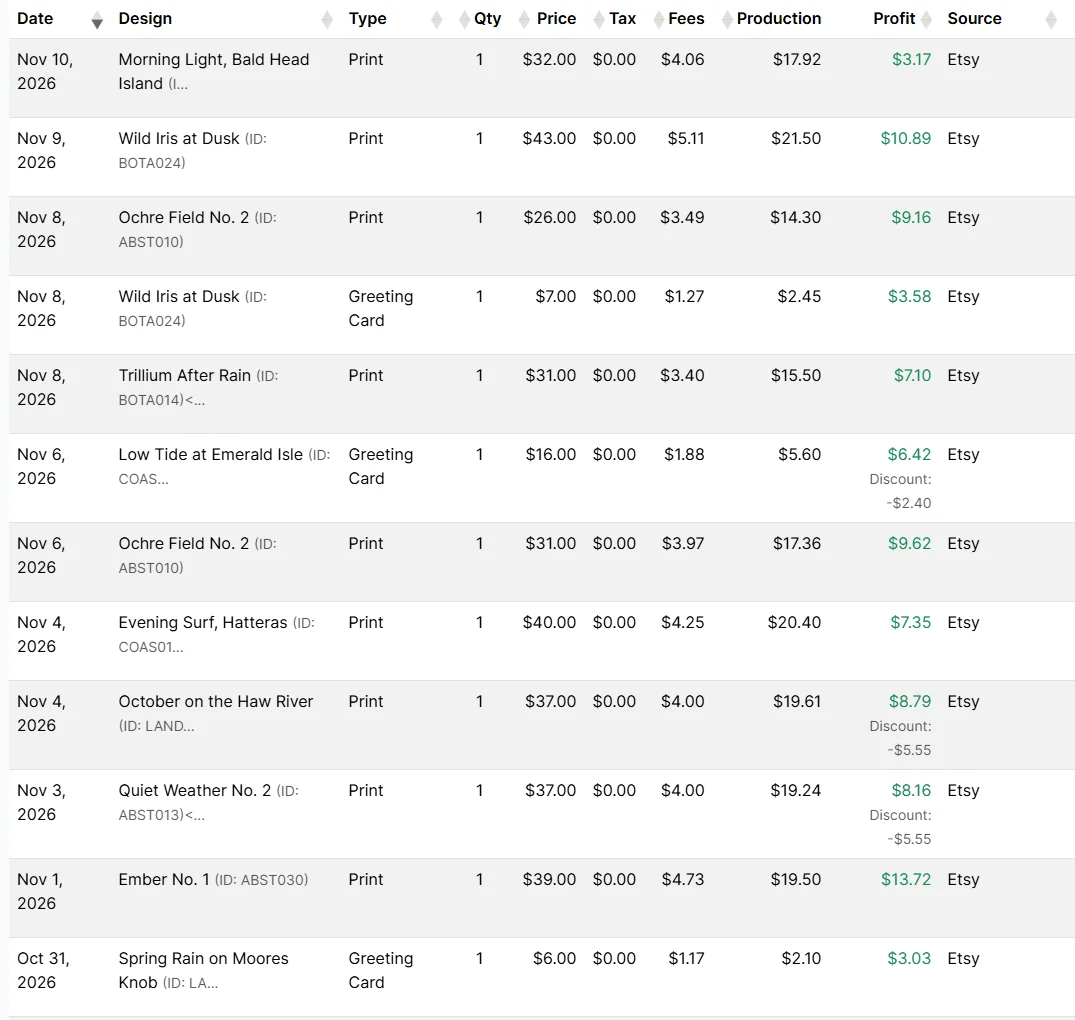
I dug into this more in Platform Fees for Artists. It’s usually more than you think.
4. Check what you collected that was never yours
Two things to watch for.
Sales tax. On a lot of marketplaces, the platform collects and pays sales tax for you. That money passed through your account but it was never your income. Make sure it isn’t hiding inside your sales number. If you sell on your own site or in person, sales tax rules are different, so check with your state or your tax pro.
Shipping. What buyers paid you for shipping is part of your sales. What you paid the post office is an expense. Track both. Don’t just assume they cancel out.
5. Know what a 1099-K is and isn’t
A Form 1099-K is a report some marketplaces and payment apps send to you and the IRS showing what you were paid through them.
Under current rules, those platforms generally only have to send one if you were paid more than $20,000 and had more than 200 transactions with them in the year. So plenty of artists won’t get one. That limit is for marketplaces and payment apps. Card sales you take through Square or Stripe can bring a 1099-K at any amount, and some states report below $20,000.
The part that trips people up is that you still have to report the income whether you get a 1099-K or not. The IRS is clear on that.
And if you do get one, the number on it is gross. It doesn’t take out fees, refunds or shipping. That’s why steps 2 and 3 matter. Your own records are how you show what you actually earned.
Not sure what applies to you? This is a good one to ask a tax pro about.
6. Round up your expenses
Sales are only half the story.
Go through your bank and card statements for the year and pull out everything business related:
- Materials and supplies
- Printing, framing, packaging
- Postage and shipping supplies
- Booth and entry fees for fairs
- Software and subscriptions
- Equipment
- Marketing and ads
- Classes and workshops
Match receipts where you can. If a receipt is gone, keep the bank or card statement line and add a note saying what it was for.
If business and personal spending are mixed on the same card, this is the step that eats your weekend. That’s your sign to open a separate business account for next year.
For the full list of what artists tend to miss, see Tax Deductions Every Artist Should Know.
7. Add up your business miles
Driving to the framer, the post office, a fair, a client delivery? Those miles count. Your regular commute doesn’t.
The IRS raised the standard business mileage rate partway through 2026. It’s 72.5 cents per mile for January through June and 76 cents for July through December, so split your miles by date. At the higher rate, 300 miles of fall fair driving comes to $228. If you own the car, you can only use the standard rate if you used it in the first year the car was used for business.
You’ll want a log: date, where, why, and miles. If you didn’t keep one, rebuild it from records like fair contracts, receipts and map distances, mark it as rebuilt, and start a log you fill in as you go. Ask your tax pro how much detail they need.
8. Take stock of inventory
If you hold physical stock (prints, originals, cards, products), count what’s left at year-end.
What you spent making things you haven’t sold yet may be treated differently from what you spent on things you did sell. The rules here depend on your setup, so this is another one for your tax pro. Your job is just to have the count and the costs ready.
9. Put it all on one page
Once you have everything, make a simple summary:
| Line | Amount |
|---|---|
| Gross sales (all channels) | |
| Refunds | |
| Platform fees | |
| Shipping Costs | |
| Materials and production | |
| Other business expenses | |
| Business miles | |
| What you actually kept |
That last line is the one that matters.
10. Hand it off or file it yourself
If you work with an accountant or tax preparer, send them the summary plus your folder of reports.
Filing yourself? You’re now starting from organized numbers instead of a shoebox.
If you pay estimated taxes, the last quarterly payment for the year usually falls in mid-January. Check the IRS site for the exact date so it doesn’t sneak up on you.
If your art made $400 or more in net profit, you also owe self-employment tax on Schedule SE. Your tax pro or software works it out from the numbers above.
Why I built BizyBee
I’m a photographer. I sold on Fine Art America and Etsy for years, and I did this whole checklist by hand every December. Spreadsheets, CSVs, squinting at fee breakdowns.
So I built BizyBee to do the boring part.
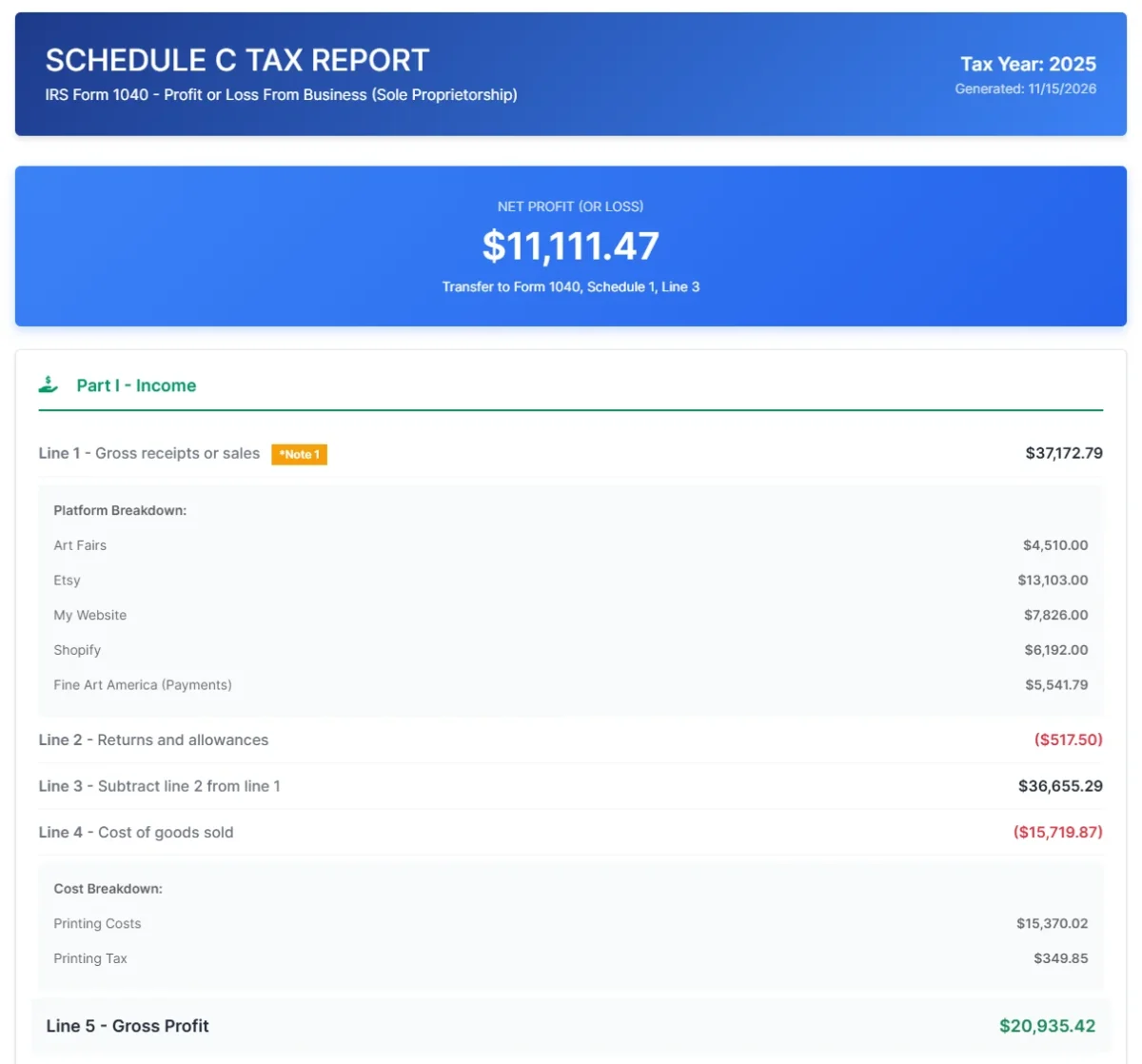
It pulls in your sales from Etsy and Fine Art America, keeps fees on their own line, and lets you log expenses and mileage as you go. Shopify import works too, but this year compare its sales tax and shipping totals against your own Shopify report before you hand anything off. At year-end you get tax-ready reports organized around Schedule C categories, instead of rebuilding the year from scratch.
Expense tracking, mileage logging and tax reports are on the Professional plan, $15 a month. You can also add art fair and craft show sales by hand or by CSV. The 14-day free trial includes all of it, so you can try the year-end reports before you pay.
It’s free to start. If you’re about to do this checklist by hand, give it a look.
The short version
- List every place you got paid
- Export a full-year report from each
- Pull fees out onto their own line
- Don’t count sales tax the platform paid for you
- Report all your income, 1099-K or not
- Gather expenses and receipts
- Log your miles
- Count your inventory
- Summarize it on one page
- Hand it off early
Do it in December and January is a lot calmer.
This post is general information, not tax advice. Everyone’s situation is different, so check with a tax professional about yours.